[#33042] - [4.0] Collapse in categories view doesn't work if navbar is not present
- Closed
- 7 Apr 2021
- Medium
- Build: staging
- # 33042
Steps to reproduce the issue
Create a menu in position menu
Create some categories with subcategories and some articles.
Create a menu item of type List All Categories in an Article Category Tree
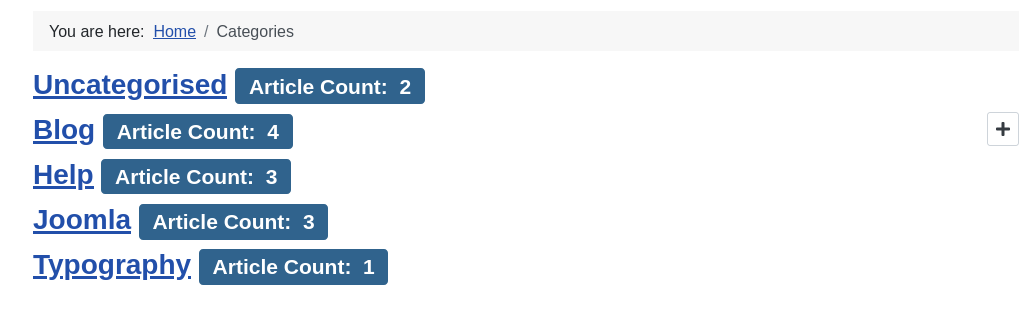
Go to the categories page. You will see a list of categories and a + symbol in the category with a subcategory (Blog)
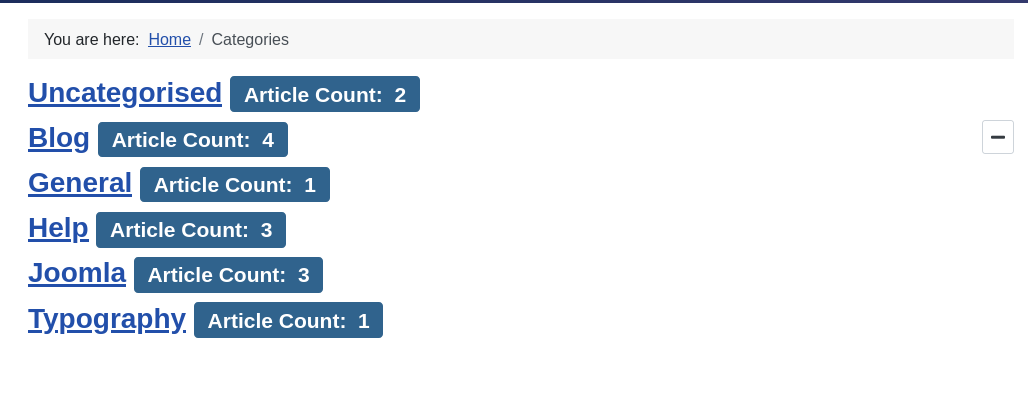
When you click on the + symbol the category expands and you see the subcategory (General)
Now unpublish the menu
Expected result
The expand / collapse function works
Actual result
The expand / collapse function doesn't work
Explanation
The com_content/tmpl/categories/default.php file loads a script for accordion $wa->useScript('com_categories.shared-categories-accordion'); that only changes the aria-label and the icon depending on the status expanded or collapsed.
The collapse function itself is on a Javascript from Boostrap (vendor/bootstrap/collapse.min.js), that is not being loaded in the view.
In Cassiopeia the collapse Javascript is being loaded when a menu is published in the position menu.
<nav class="navbar navbar-expand-md"> <?php HTMLHelper::_('bootstrap.collapse', '.navbar-toggler'); ?> ...
That is why the collapse in the categories list only works if the menu is present.
Solution
- Load the collapse script from Bootstrap in the view or
- Create an own collapse / accordion function (e.g. extend the functionality of the
com_categories.shared-categories-accordionscript). A good example can be found here: https://inclusive-components.design/collapsible-sections/
System information (as much as possible)
Additional comments
 joomla-cms-bot
-
joomla-cms-bot
- | Labels |
Added:
J4 Issue
?
|
||


I'm working on a solution. PR coming soon
| Status | New | ⇒ | Closed |
| Closed_Date | 0000-00-00 00:00:00 | ⇒ | 2021-04-07 14:56:13 |
| Closed_By | ⇒ | drmenzelit |
Related to #33037, the buttons needs a complete redesign on layout and function